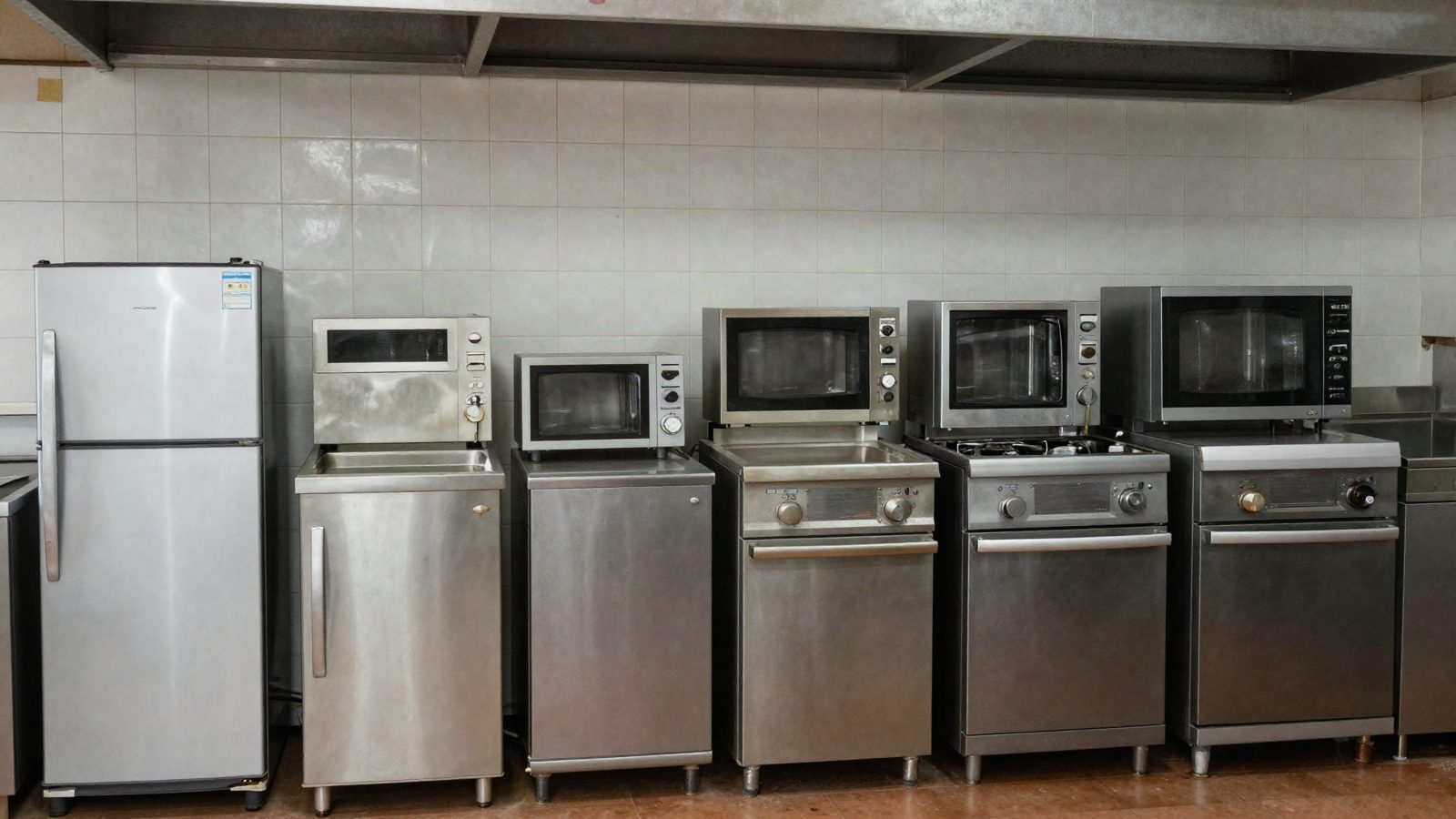
Asset tagging fails in a commercial kitchen for physical reasons before it fails for process reasons. Heat, grease and caustic cleaning destroy the wrong label within months. Tag by zone, engrave where cleaning is aggressive, and make every tag point at a record holding 6 attributes: manufacturer, model, serial, service history, location history and warranty.
The short version
Search this term and you get label suppliers and general asset-tagging explainers written for offices, warehouses and IT equipment. Both are useful and neither has been inside a commercial kitchen at 5pm.
A kitchen is a hostile environment for adhesive labels in a way an office is not. The same tag that lasts a decade on a laptop lasts one deep clean behind a fryer. So the decision is not which tag is best. It is which tag goes where:
- The cook line destroys adhesive with heat and grease
- The dish area destroys print with steam and caustic detergent
- Walk-ins and reach-ins are the easy zone for a tag that has to last
- A tag that survives but points at nothing has cost you a survey for no return
The last one is the expensive mistake. Plenty of service companies have tagged 400 pieces of equipment and still cannot answer what was done to the combi at store 212 in March.
A kitchen has 3 zones, and each one kills a different tag
Tag selection is a zone decision, not a site decision. Buying one label type for an entire kitchen means over-specifying most of it and under-specifying the part that matters.
| Zone | What the equipment sees | What fails first |
|---|---|---|
| Cook line: fryers, griddles, ranges, combis, hoods | Radiant heat, hot grease, daily wipe-down with degreaser | The adhesive. The tag curls at a corner, then lifts, then goes in the bin with the grease |
| Dish and prep: dish equipment, disposers, prep sinks | Steam, standing water, caustic detergent, pressure washing | The print. The tag stays on and the serial number becomes unreadable |
| Refrigeration: walk-ins, reach-ins, ice machines, prep tables | Condensation and cold surfaces | Nothing much, physically. The failure here is three identical walk-ins and no way to tell them apart |
Refrigeration is the zone where tagging pays back fastest and where service companies most often skip it, because nothing visibly fails. That is a mistake for a different reason, covered further down.
What survives: material, adhesive and placement, in that order
Placement decides more than material does. A well-chosen tag in a bad place fails before a mediocre tag in a good one, because most tag deaths are mechanical rather than chemical.
The rules that hold across zones:
- Never on a surface that gets cleaned daily. The front of a fryer cabinet gets wiped every shift. The side panel does not.
- Never on a removable panel. Panels get swapped, and the tag leaves with the panel. Tag the frame or the chassis.
- Never inside a wash path. Anywhere a pressure hose is aimed, an adhesive label is temporary.
- Same place on every unit of the same type. A technician should know where to look before walking up to the equipment. Consistency is worth more than an ideal location.
- Somewhere readable without moving the equipment. A tag behind a walk-in condenser is a tag nobody reads twice.
On material, the honest answer is that this varies by supplier and you should ask yours for the specification rather than take a number from an article. What to ask about is specific: surface temperature tolerance, resistance to the detergent your customers actually use, and whether the printing is under the surface or on it. Printing on the surface is what fails in a dish area.
Where cleaning is aggressive, stop using labels. Engraved or stamped metal plates, riveted or mechanically fixed, outlast anything adhesive. They cost more per unit and they are the right answer for the dish area and for anything that gets pressure washed.
The tag is not the record, and the tag is the part that fails
An asset tag is a pointer. Its only job is to connect a physical piece of equipment to a record that holds everything you actually need. That distinction sounds obvious and it is where most tagging projects go wrong, because the effort goes into the tag and not into what it points at.
Two consequences follow from treating the tag as a pointer.
First, the tag should carry as little information as possible. An asset number and a way to reach the record. Printing the model and install date on the tag feels helpful and guarantees the tag is wrong within two years, because equipment gets swapped and tags do not get reprinted.
Second, the record has to survive the tag. Tags come off. If your only route to a piece of equipment's history is the number on a label that fell behind the fryer, you have built a system with a single point of failure that lives in a grease trap.
6 attributes make a record worth tagging for
Before tagging anything, decide what the record holds. A tag pointing at a line in a spreadsheet with a model number is not worth the afternoon it takes to apply.
Roopairs holds manufacturer, model, serial number, service history, location history and warranty agreements against the equipment itself, and keeps planned maintenance contracts there rather than against the address. Those six are a reasonable specification to hold any product to, whatever you end up using.
The two that get left out most often are the ones that pay for the survey:
- Service history against the equipment. Not against the customer and not against the address. When the question is what was done to this unit in March, a customer-level history means reading old invoices.
- Warranty status against the equipment. Whether a compressor is still covered decides who gets billed, and it needs to be visible before a technician is assigned rather than after the job is done. Roopairs has published a piece on how the warranty chain works in this industry and why that visibility is worth having.
Why the equipment needs its own file rather than living under the customer is a longer argument than this article can carry, and it deserves its own treatment.
Refrigeration is where tagging pays back fastest
A restaurant group is one account with fourteen locations and several hundred pieces of equipment, and most of them look alike. Three walk-ins in one kitchen, two of them the same model and the same year.
Without a tag, the note lands on the wrong unit and its past disappears. Six months later somebody diagnoses a fault that was diagnosed twice before at a different store.
This is the strongest argument for tagging the easy zone. Nothing physically threatens a tag on a reach-in. What threatens the record is the forklift.
Barcode, QR or nothing scannable at all
Scannable is worth it when a technician reaches the record faster by scanning than by typing. That is a lower bar than it sounds and it is not always met.
A QR code that opens the equipment record on a phone is the strongest option, because it works with the camera every technician already has and needs no dedicated scanner. A barcode assumes a scanner or an app that reads barcodes well, which is worth checking before ordering 400 labels.
A plain human-readable number is not a failure. If your asset numbers are short and your technicians can type six characters, that works, and it keeps working when the code is scratched or greasy. The advantage of scannable is speed and fewer typos, not capability.
One thing to avoid: making the asset number encode meaning. A number like FR-212-03 that encodes equipment type and store becomes wrong the first time a piece of equipment moves. Keep the number meaningless and let the record carry the meaning.
Confusing your tag with the manufacturer's nameplate
The nameplate is the manufacturer's plate and it stays where it is. It carries the model, the serial number, electrical data and often the date of manufacture. Your asset tag is a separate thing you apply.
Both matter and they do different jobs. The nameplate is the source of truth for what the equipment is, and it is what you read from during the survey. Your tag is how the equipment is found in your system afterwards. Reading a nameplate correctly is a skill in itself, and the failure modes are worth knowing.
Never rely on the nameplate alone as your tag. It is often behind a panel, frequently unreadable after a few years of service, and it says nothing about which of your customers owns the unit.
Running the survey without stopping service
Nobody gets a shutdown to do an equipment survey, so it happens during normal work. The approach that finishes is the one that attaches the survey to jobs you were already doing.
A workable sequence:
- Start with your PM contracts. Those visits are scheduled, unhurried, and already involve looking at specific equipment. Tag what you touch.
- Then service calls at the same customers. Every technician tags the unit they worked on plus anything else in that zone if there is time.
- Capture from the nameplate, not from memory. Manufacturer, model, serial. A photo of the nameplate is faster than typing and it settles arguments later.
- Accept partial coverage. A survey that covers the equipment you actually service is more useful than a complete one that took a year.
Two practical notes from how these projects go wrong. Set the naming convention before the first tag goes on, because renaming 300 assets later is nobody's afternoon. And decide who owns the record when a piece of equipment is at a customer site you may lose. The asset belongs to the customer, the service history belongs to you, and that distinction is worth being clear about early.
Getting started on the next PM visit
You need three decisions and none of them require a purchase order.
Decide the zones and the tag type per zone. Decide what the record holds, using the six attributes above as the floor. Decide the numbering convention, and keep it meaningless.
Then tag what you touch on the next round of PM visits and stop there. Equipment monitoring and sensors are a separate conversation for later, and Roopairs has written about where connected equipment is actually heading in this trade if that is the direction you are thinking about.
If you want to see what a piece of equipment-level record looks like in practice, with history, location and warranty against the unit, Roopairs runs a product tour where you can bring one of your own multi-location customers to it.
What service companies in the trade say
“A couple of the companies wanted massive amounts of money down. Some of them required me to have a server at my house and I just couldn't afford the initial uptick of that.” — ProTemp Solutions (NC)
Also worth reading
- Equipment Asset Tracking: Why the Equipment Needs a File, Not Just the Customer
- Equipment Records and PM Contracts: How They Should Fit Together
- Why 2026 tariffs are making commercial kitchen equipment repair more critical
Frequently asked questions
What is asset tagging?
Asset tagging is attaching a durable identifier to a piece of equipment so it can be matched to a record in your system. In a service business the identifier is usually a label or engraved plate carrying an asset number, and the record holds what the equipment is and what has been done to it.
What information should be on an asset tag?
As little as possible. An asset number and a way to reach the record, which for most service companies means a QR code or the number alone. Printing model, install date or customer name on the tag makes it wrong the first time equipment is swapped, and nobody reprints tags.
Where should you put an asset tag on kitchen equipment?
On the frame or chassis rather than a removable panel, away from any surface cleaned daily, out of the path of a pressure hose, and in the same position on every unit of the same type. Readable without moving the equipment matters more than being ideally placed.
Do asset tags survive a warewasher or pressure washing?
Adhesive labels generally do not survive either for long, and the print usually fails before the adhesive does. For the dish area and anything that gets pressure washed, engraved or stamped metal fixed mechanically is the option that lasts. Ask your supplier for the detergent and temperature specification rather than assuming.
Is the manufacturer's nameplate enough?
No, though it is where you read the model and serial number from. Nameplates sit behind panels, become unreadable with age, and carry nothing about which customer owns the unit or what you have done to it. Use the nameplate as the source and your own tag as the pointer.
How long does an equipment survey take?
Longer than a project plan suggests, and that is fine. Attaching it to scheduled PM visits spreads it across a quarter or two with no lost billable time. Trying to complete it as a standalone project is what makes surveys stall at 40 percent and never finish.
See how Roopairs can help your service business scale
The all-in-one platform built for commercial kitchen service companies. Dispatch, invoicing, parts ordering — all in one place.
Book a product tour →